
How to let customers cancel a Wix Pricing Plans subscription online (cancel button)
Updated
The problem
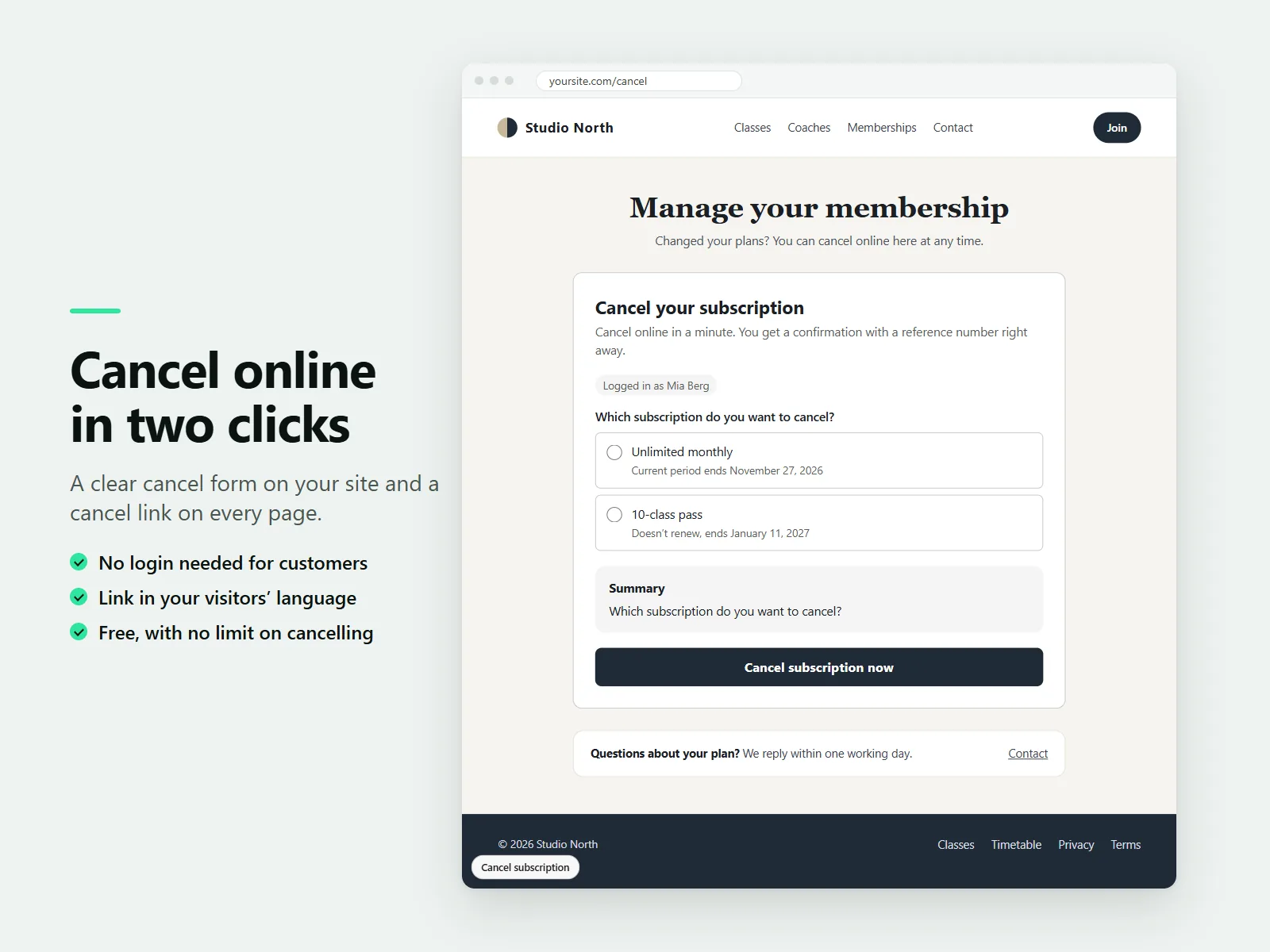
With Wix Pricing Plans, a customer normally has to log in before they can cancel. A customer who cannot log in, or cannot find where to cancel, writes to you instead. A visible cancel button and a confirmation they can keep removes that back-and-forth.
Set up the cancel page
- Add Karelia Cancel Subscription from the Wix App Market. You need Wix Pricing Plans on the site.
- Create a page such as Cancel subscription (for example /cancel). Choose Add, then Apps and place the Cancel Subscription component on it. Publish the page.
- Open the app dashboard. The checklist shows Pricing Plans and the cancel page as done. Click Turn on link to show a small Cancel subscription link on every page.
Choose what happens
Logged-in members pick the plan they want to end and the request is processed straight away in Pricing Plans. For visitors who are not logged in, you choose: cancel at the end of the period they paid for, cancel right away, or wait for your confirmation in the dashboard. Plans that do not renew and requests for a chosen end date always wait for you.
The confirmation looks the same whether or not an email address has a subscription, so the form never reveals who your customers are.
The confirmation
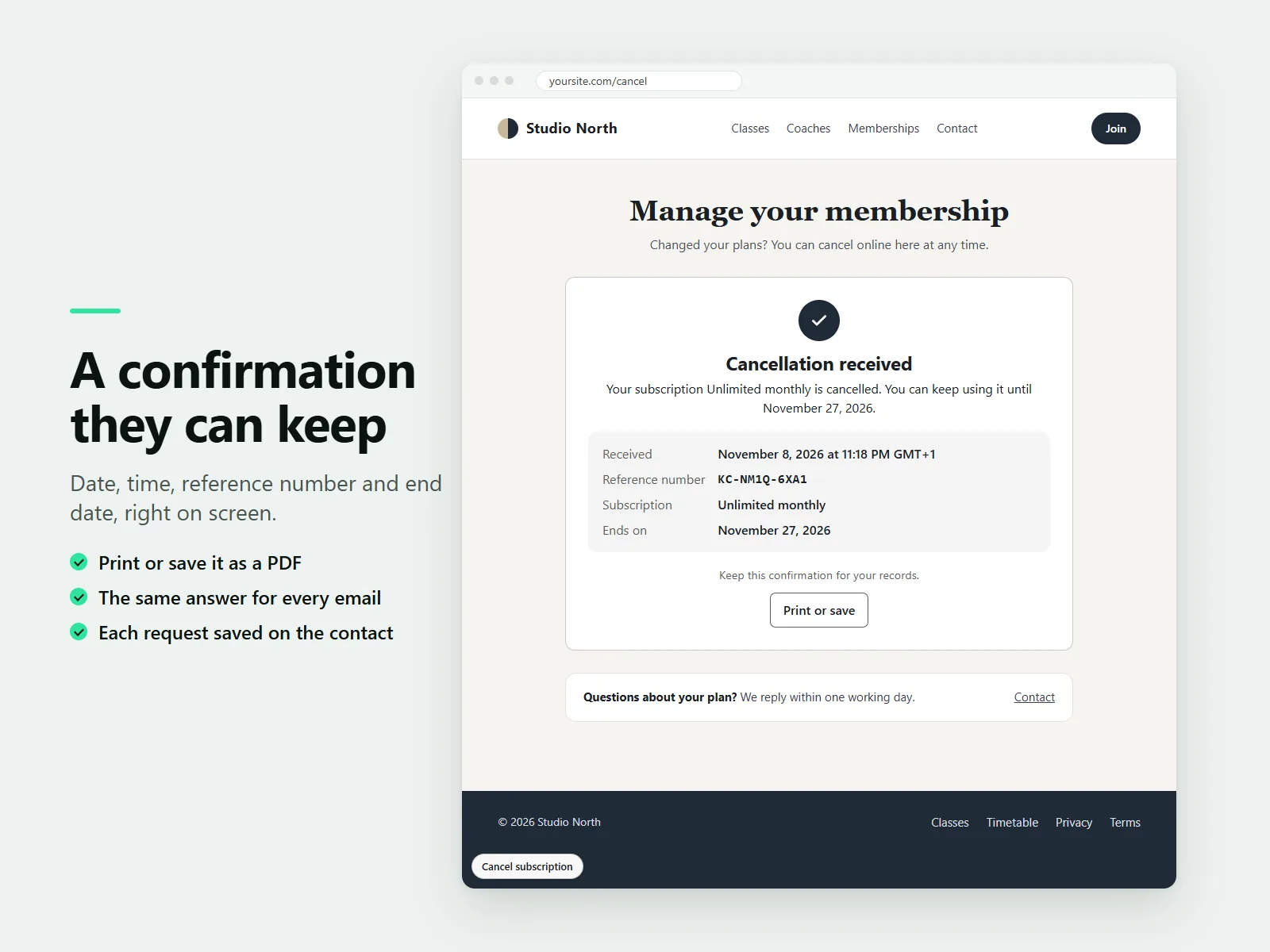
Customers see the date, time and reference number right away and can print the confirmation or save it as a PDF. Every request is saved as a note on the customer's contact and listed in your dashboard.
Wording for your country
There are presets for Germany, France, California and the United Kingdom. The Germany preset uses the familiar "Verträge hier kündigen" link and "Jetzt kündigen" button. The form is available in 15 languages.
The presets describe features. They are not legal advice and do not guarantee that your site or contracts meet the laws that apply to you.
FAQ
Is cancelling limited on the free plan?
No. Cancelling is never limited on any plan. Pro adds a reason survey, fair offers, statistics, CSV export, your own texts and an email copy for you.
Can I confirm requests myself?
Yes. Choose the option where requests wait for you, then confirm them from the dashboard.
More guides
How to add a PDF menu, brochure or flipbook to a Wix site
Add Karelia PDF from the Wix App Market, choose the PDF, pick a reader theme and colours, and decide whether visitors may download or print it. Pro adds the page-turn flipbook.
Read the guide →How to show a Google Sheet or Excel file as a searchable table on Wix
Add SheetTable, import an Excel or CSV file or a public Google Sheet, tidy the rows, choose a theme and a phone layout, and publish a table visitors can search and sort.
Read the guide →How to add site search to a Wix Harmony site
Wix Harmony does not include Wix Search. Install Karelia Site Search, publish the site, open the app once to build the index, and visitors get a search button on every page; add the Site Search Bar to the header if you want a search field there.
Read the guide →