
Describewright: AI audio description for WordPress video
Blind and low-vision viewers hear what is said in a video, but not what is shown: the slide with the new opening hours, the name under the speaker, the map, the chart. Audio description fills that gap with short spoken descriptions in the pauses of the speech. WCAG 2.1 asks for it on prerecorded video at Level AA (success criterion 1.2.5).
Describewright Pro is on sale now.
- Requires
- WordPress 6.5+, PHP 7.4+
- AI services
- OpenAI, Google Gemini, Anthropic Claude, OpenRouter, OpenAI-compatible services, local models (LM Studio, Ollama), WordPress AI on 7.0+
- File format
- Standard WebVTT, `kind="descriptions"`, in your uploads folder
- WCAG
- 1.2.5 audio description; 1.2.3 and 1.2.8 transcript; Pro adds 1.2.7 extended description
Describewright writes those descriptions inside WordPress. It finds the pauses, picks still frames from the right moments, and an AI model that can see images writes one description per pause, sized to fit it. You check each one next to the playing video, and your videos get an Audio description button.
What Describewright does
Finds the pauses
Listens to the sound track to find the gaps in the speech, or uses your captions from Captionwright when you have them.
Sees the video
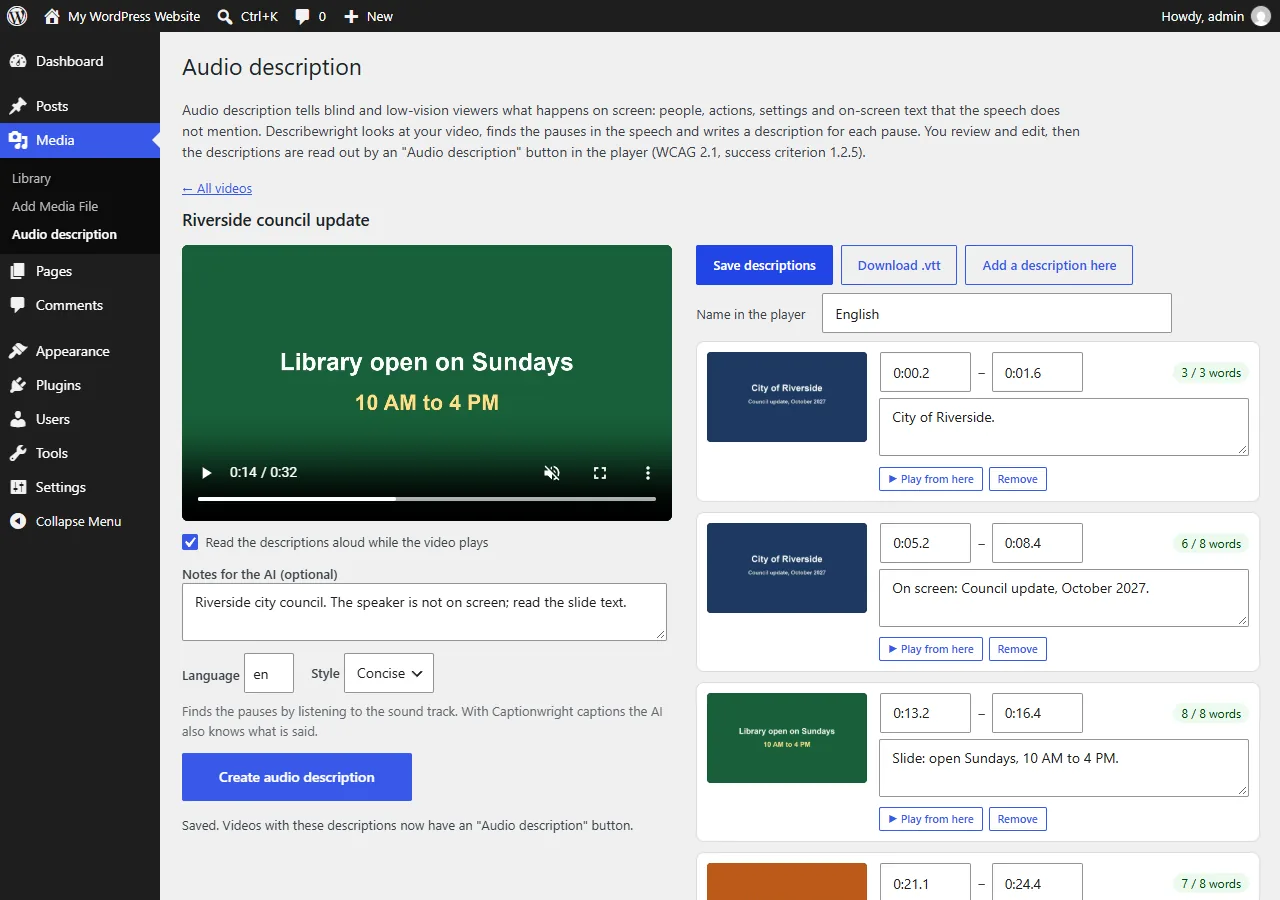
Detects scene changes and sends still frames from the right moments. On-screen text is read word for word: titles, names, slides, signs and numbers.
Fits the pause
Each description gets a word budget from the length of its pause, and the editor warns when one is too long.
Editor with frames
Every description shows the frame it describes, with editable start and end times, notes for the AI and a read-aloud preview.
Player button and transcript
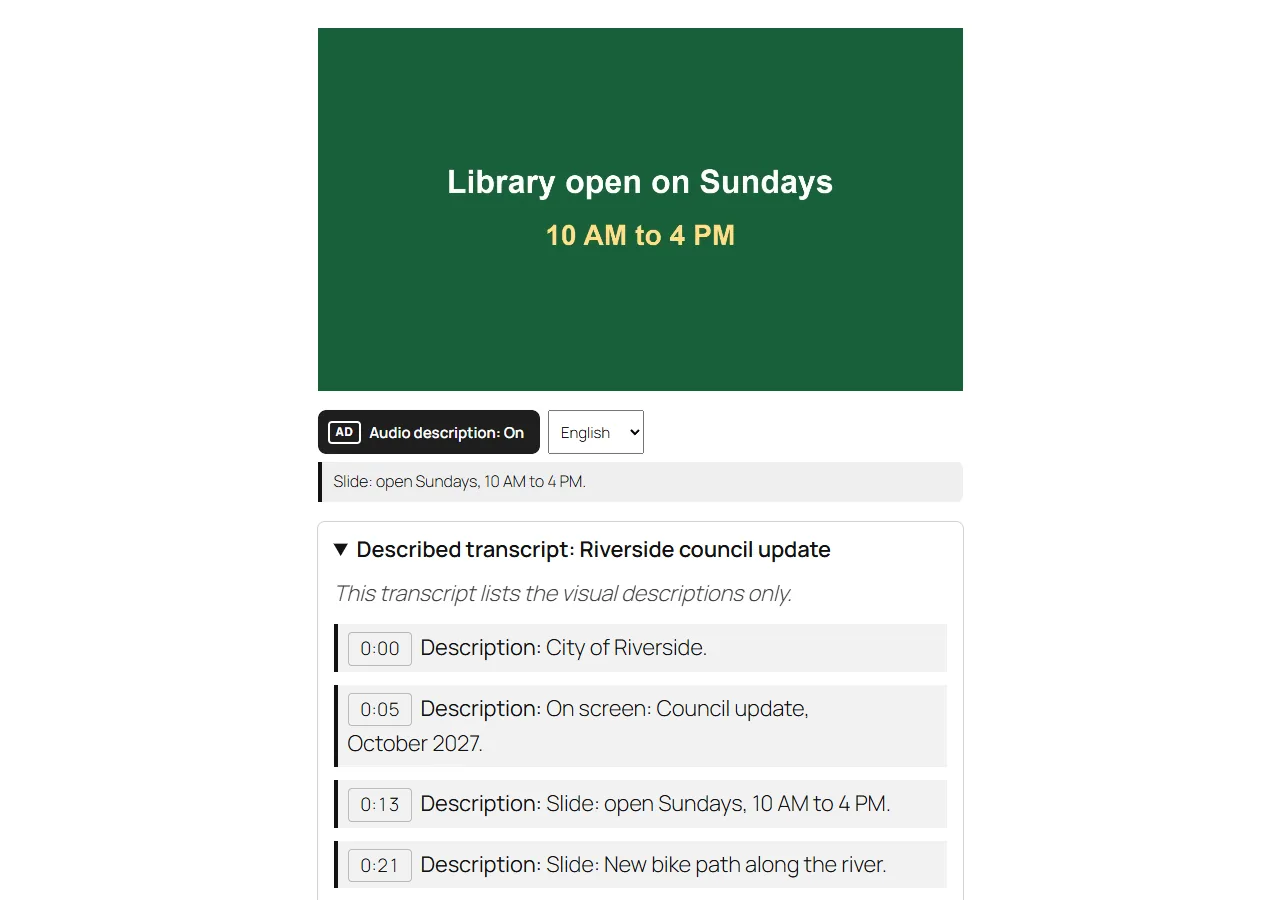
An Audio description button in the core Video block and [video] shortcode, plus a described transcript block (WCAG 1.2.3 and 1.2.8).
Pro: the whole library
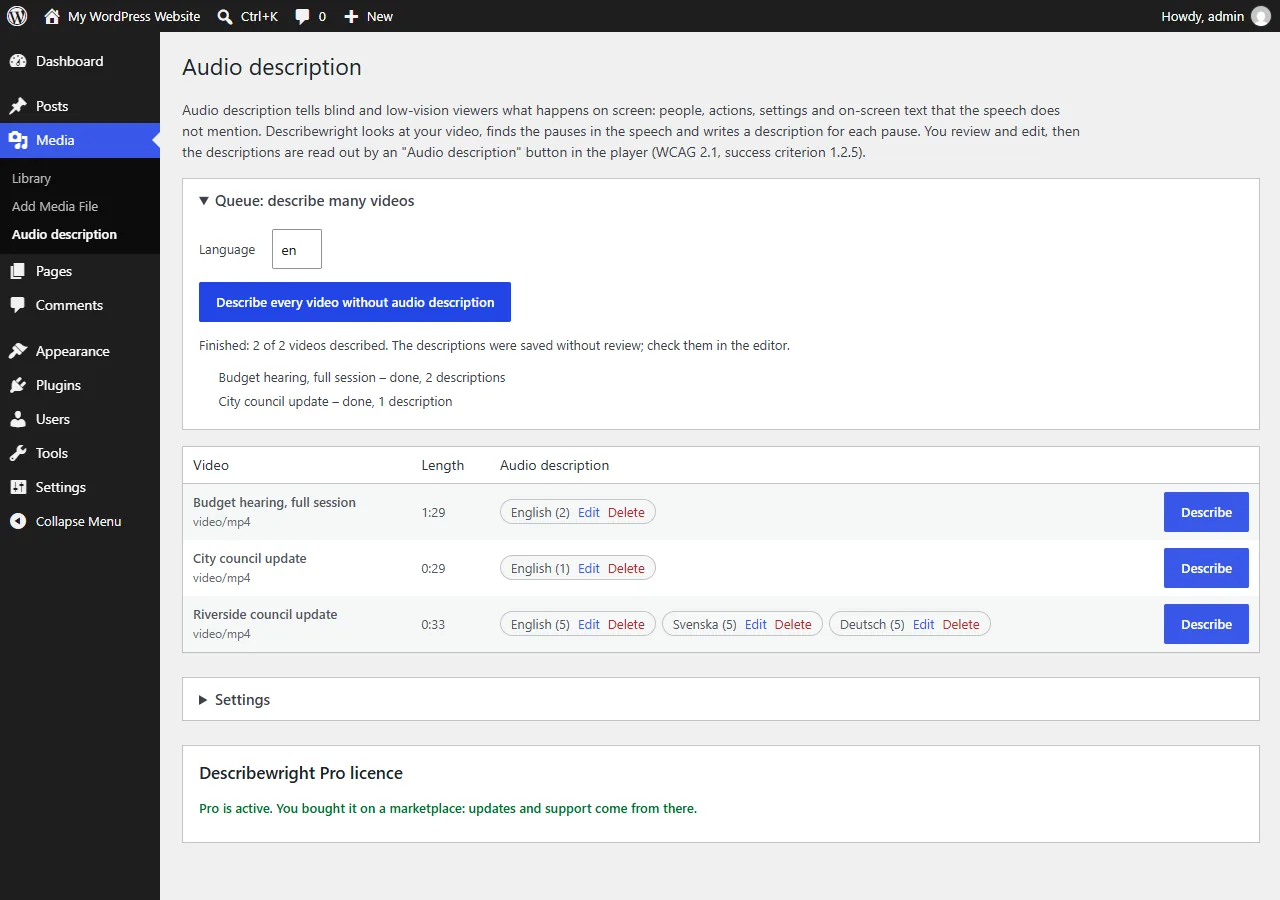
Describe every video in one queue with stop, resume and retry, extended audio description that pauses the player (WCAG 1.2.7), and translation into 30 languages.
How it works
- Choose an AI. Media → Audio description → Settings: pick OpenAI, Gemini, Claude, OpenRouter, a local model or WordPress AI, and test the connection.
- Describe. Click Describe next to a video. Describewright finds the pauses and writes a description for each one.
- Check and publish. Read every description next to the playing video, change what you like and save. The player gets its Audio description button.
Screenshots
Why audio description is due now
- WCAG 2.1, success criterion 1.2.5 asks for audio description of prerecorded video at Level AA. Captions alone do not meet it.
- ADA Title II (US): state and local governments, public schools, colleges and universities must meet WCAG 2.1 AA on their websites from April 26, 2027 if they serve 50,000 people or more, and from April 26, 2028 for smaller ones and special districts.
- European Accessibility Act: has applied since June 28, 2025, and the EU Web Accessibility Directive covers public-sector websites, both through EN 301 549.
- Section 508: US federal agencies follow WCAG 2.0 AA, which includes the same success criterion.
Sources: ada.gov, with the dates set by the interim final rule of April 20, 2026, and W3C: Understanding 1.2.5. Checked 2026-10-25. Not legal advice.
What it costs to run
Describewright sends still frames, not video, to the AI service you choose, and you pay that service directly. There is no per-minute fee from us.
Our estimate from the published prices in October 2026: a few cents for a 10-minute video with a low-cost vision model such as GPT-6 Luna or Gemini 3.5 Flash-Lite. Your provider's bill is what counts.
Pricing
Sold through Gumroad, with a licence key.
No licence key. On Payhip and itch.io.
On Payhip.
Good to know
- No automatic description is perfect. Read every description next to the video before saving; WCAG asks for descriptions that convey the important visual information.
- The AI model must be able to look at images. Test the connection checks that.
- If the browser cannot decode a video's sound, Describewright stops instead of guessing where the pauses are. Captions from Captionwright, another browser or Describe without speech timing get around it.
- Videos with almost no pauses need a lower shortest pause, or Pro's extended audio description, which pauses the player while a description is read.
Privacy
Describewright runs on your own WordPress site and sends Karelia Labs nothing: no usage data, analytics or telemetry, and there is no account with us.
When you create descriptions, your server sends the AI service you chose: still frames from the video (JPEG, up to 512 pixels wide), the video's title, your notes for that video, the pauses, the language and style, and, with Captionwright captions, the words spoken around each pause. Translations send the text of the saved descriptions. Each service handles the data under its own terms.
Your API key stays on your server and never reaches the browser.
Describewright Pro bought on Gumroad checks its licence key with Gumroad when you activate it and then once a day. Copies bought on Payhip or itch.io never contact a licence server.
Guides
How to add audio description to WordPress videos (WCAG 1.2.5)
Describewright finds the pauses in the speech, sends still frames to an AI model you choose, and writes one description per pause. You check them next to the video, and the player gets an Audio description button.
Read the guide →How to add captions to WordPress videos without per-minute fees
Generate captions for a Media Library video with Whisper in your own browser, check them next to a live preview, and they appear in the core Video block with a clickable transcript.
Read the guide →FAQ
Is AI-written audio description good enough for WCAG?
It gives you a complete first draft in minutes, but you must check it. The editor shows every description with the frame it describes, next to the playing video, so the check is quick.
Which AI model should I use?
Any model that can look at images. Describewright fills in a low-cost model for each service, Load models lists what your key can use, and Test the connection checks that the model sees images. A local model in LM Studio or Ollama works too.
Do visitors need a special browser?
No. The button reads the descriptions with the browser's built-in voice and announces them to screen readers. The description also appears as text below the player.
Does it work with captions?
Yes. With Captionwright it uses your captions to find the pauses more precisely and to tell the AI what is said.
Where are the description files stored?
In wp-content/uploads/describewright/, one WebVTT file per video and language. Your videos are never changed.
Do I need a licence key?
Only for Describewright Pro bought on Gumroad. The one-time copies on Payhip and itch.io need no key.
Related tools
Captionwright
Automatic WordPress video captions with Whisper running in your browser: no API key, no per-minute fees. Clickable transcripts and 30 languages.
Shelfwright
Drag-and-drop folders for the WordPress Media Library. Keeps Enhanced Media Library categories, imports FileBird, and Pro sorts images with AI.
Updated 2026-10-25