
Shelfwright: folders for the WordPress Media Library, sorted by AI
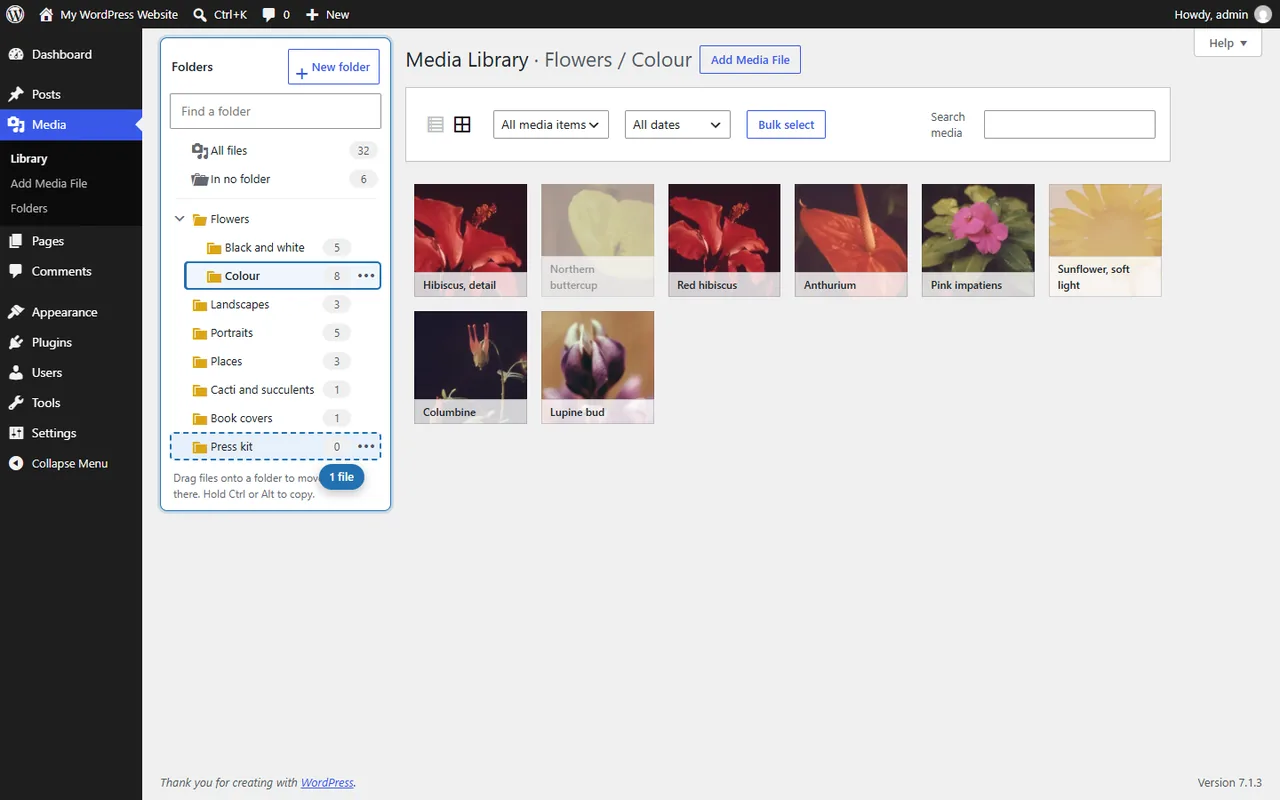
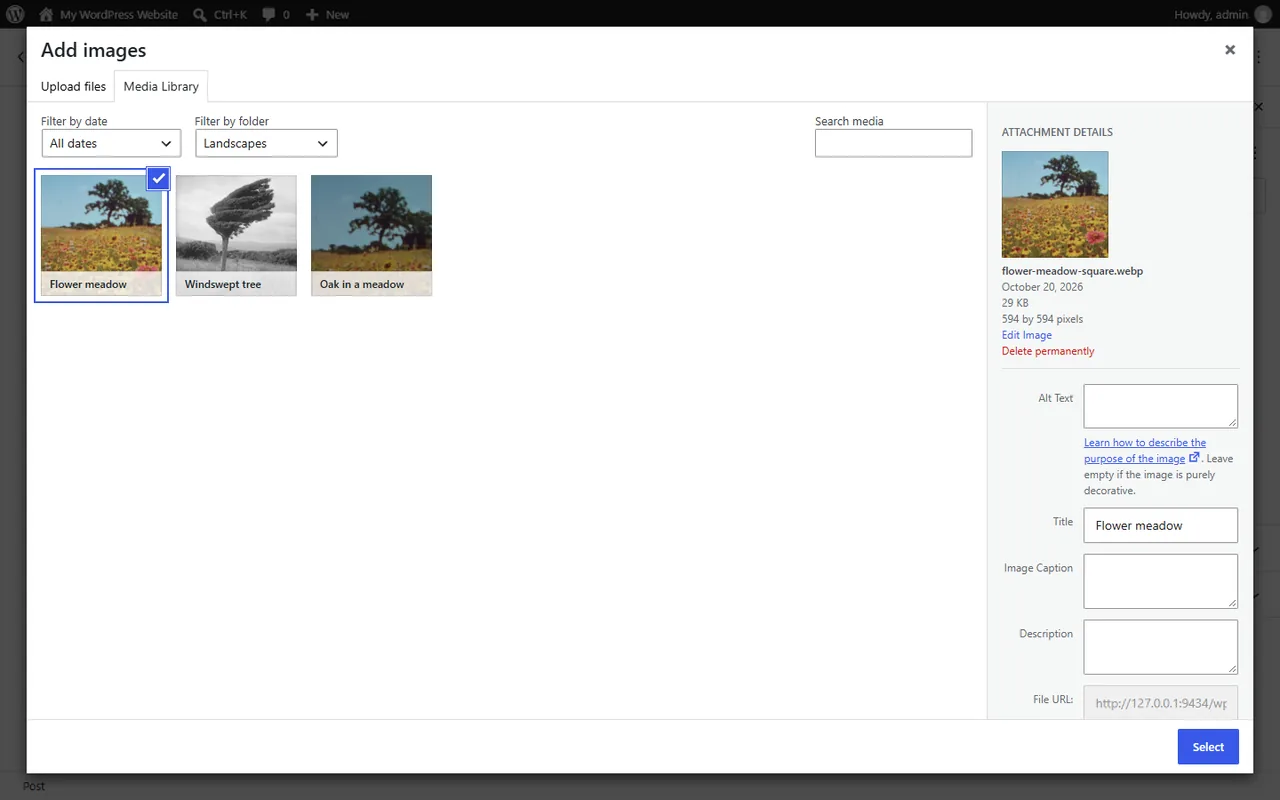
A Media Library with a few thousand files is a long scroll. Shelfwright adds a folder tree beside it: open a folder to see its files, drag files onto a folder to move them, and upload straight into the folder you are in.
Shelfwright Pro is on sale now. The free plugin is in review at WordPress.org.
- Requires
- WordPress 6.5+, PHP 7.4+
- Folders
- Unlimited, stored as the standard `media_category` taxonomy
- Imports from
- FileBird, Real Media Library, Media Library Folders, Folders, HappyFiles, WP Media Folder, Wicked Folders, Media Library Assistant
- AI model (Pro)
- Google SigLIP 2, about 410 MB, runs in the browser
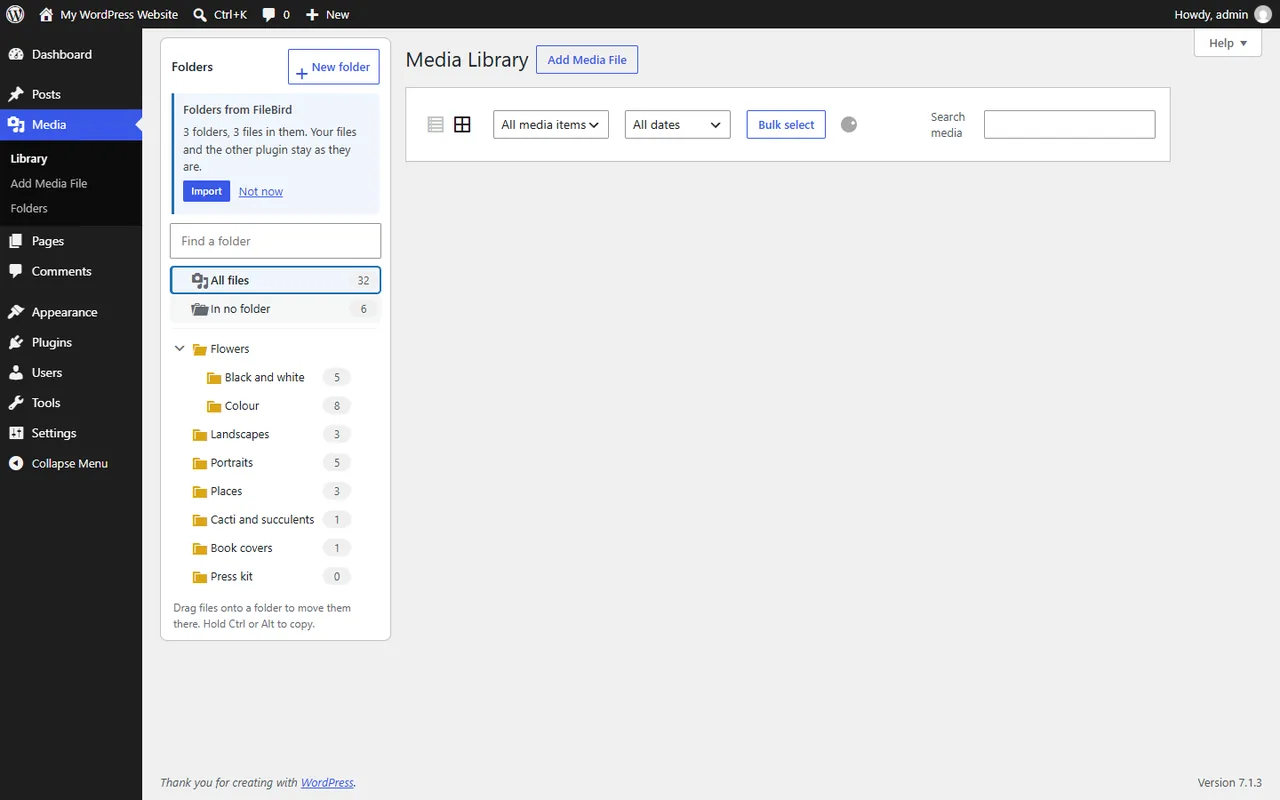
Folders are virtual, so file addresses never change, and they are a standard WordPress taxonomy: the same media_category that Enhanced Media Library uses. Categories from Enhanced Media Library show up as folders without any migration, and folders from FileBird and seven other plugins import with one click.
What Shelfwright does
Folder tree beside the Media Library
In grid and list view, with file counts, All files and In no folder. Unlimited folders and subfolders.
Drag and drop
Drag files onto a folder to move them, hold Ctrl or Alt to copy, and drag folders to nest or reorder them. Uploads go into the open folder.
Takes over from Enhanced Media Library
Uses the same media_category taxonomy, so categories, subcategories and [gallery media_category="..."] shortcodes keep working.
Imports other folder plugins
FileBird, Real Media Library, Media Library Folders, Folders, HappyFiles, WP Media Folder, Wicked Folders and Media Library Assistant. Their data is only read, never changed.
Pro: AI sorting in your browser
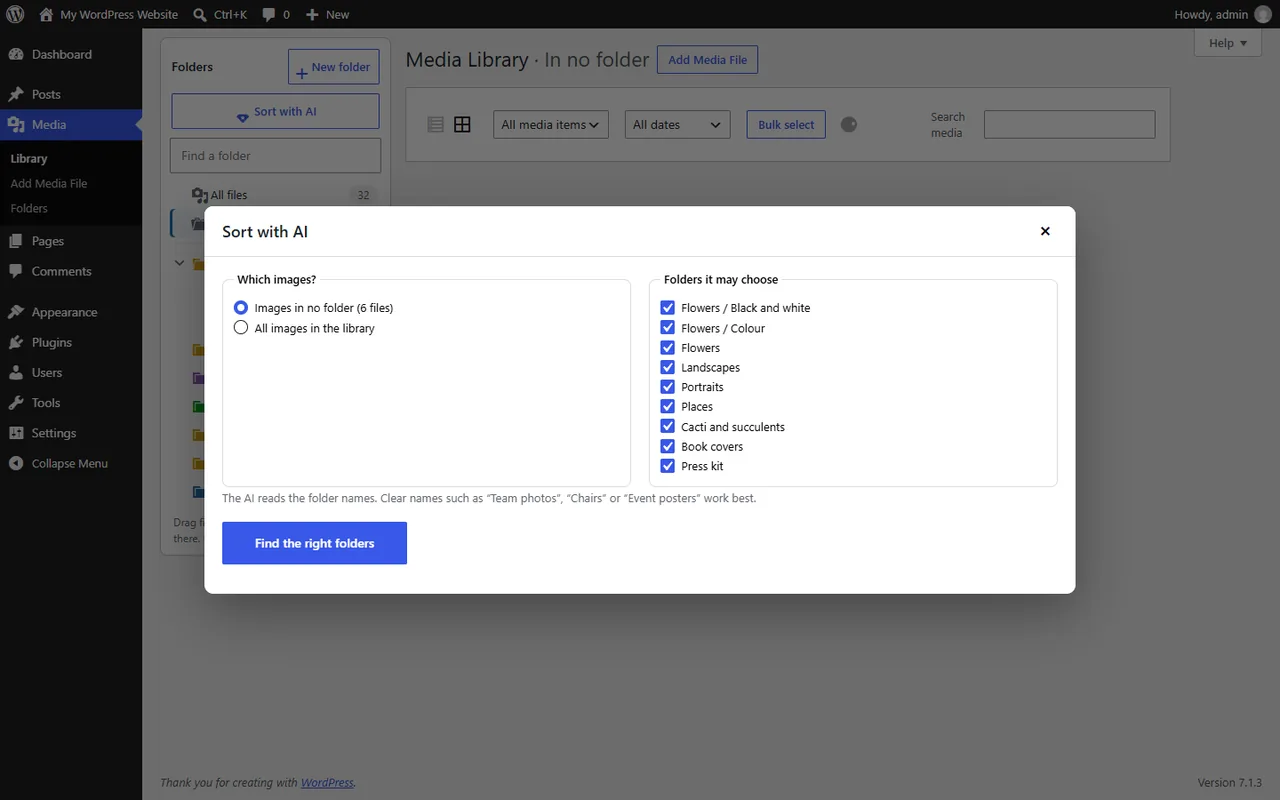
An image model compares each image with your own folder names on your computer and suggests a folder. You check every suggestion before anything moves.
Pro: auto-sort, colours and ZIP
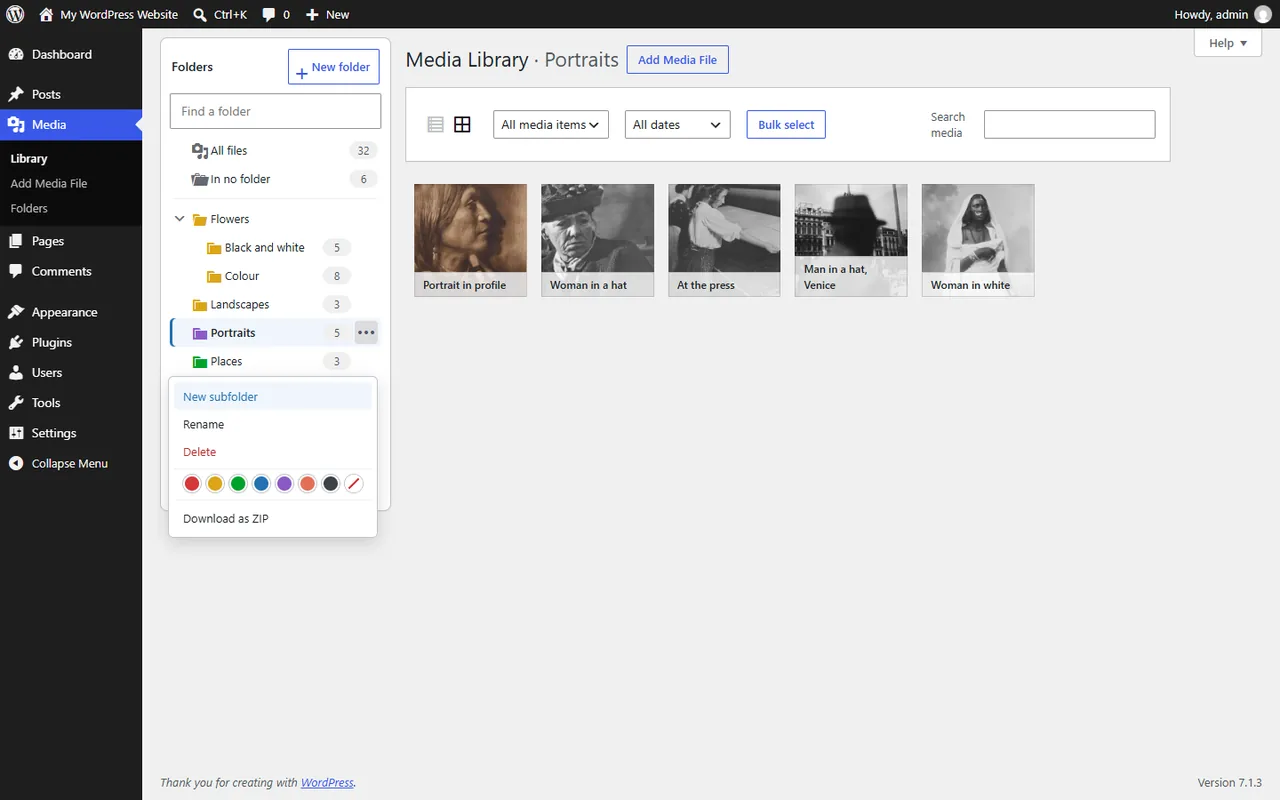
New uploads outside a folder go into a folder that is a good match, folders get colours, and any folder downloads as a ZIP with its subfolders.
How it works
- Install. Upload Shelfwright Pro under Plugins → Add New and activate it.
- Organise. Open Media → Library, click New folder and drag files onto it. Using Enhanced Media Library? Your categories are already in the tree.
- Sort with AI. Pro: click Sort with AI, choose the images and the folders it may use, check the suggestions and apply them.
Screenshots
Switching from Enhanced Media Library
Enhanced Media Library was last updated in July 2024, and WordPress.org now warns that it has not been tested with the latest three major WordPress releases. More than 60,000 sites still run it. Shelfwright is built to take over without a migration:
- Your categories are already there. Shelfwright reads the same
media_categorytaxonomy, so every category shows up as a folder with its subcategories and files. Nothing is copied or converted. - Your galleries keep working.
[gallery media_category="flowers,mosses"],type,limit,orderbyand[playlist]work as before. - Extra taxonomies stay. Taxonomies made in Enhanced Media Library, and Categories or Tags put on media, are registered again with the same names.
- Category pages keep their address, if you used them.
Enhanced Media Library 2.9.4: last updated July 2024, tested up to WordPress 6.5, 60,000+ active installations, from its WordPress.org page, checked 2026-10-25.
How the AI sorting decides
- The model looks at each image and compares it with your folder names, so clear names work best: Team photos, Chairs, Logos, Event posters.
- Every image gets Good match, Possible or No folder fits. Only good matches are ticked: the image must match the folder on its own, and the best folder must clearly beat the others.
- You review the list, change any suggestion and apply them in one click. Nothing moves before that.
Pricing
Sold through Gumroad, with a licence key.
No licence key. On Payhip and itch.io.
On Payhip.
Good to know
- AI sorting suggests folders; it does not know your site. Check the suggestions before applying them, especially for images without a clear subject.
- The AI model (about 410 MB) is downloaded once into the browser of the person who sorts, after an administrator allows it.
- Shelfwright organises files in folders. It does not manage which file types may be uploaded, which Enhanced Media Library's MIME type settings did.
Privacy
Shelfwright runs on your own WordPress site. It sends Karelia Labs nothing: no usage data, analytics or telemetry, and there is no account with us.
Pro's AI sorting runs in the browser of the person who sorts. The only download is the public SigLIP 2 model from Hugging Face, after an administrator allows it. No image or folder name leaves that computer.
Shelfwright Pro bought on Gumroad checks its licence key with Gumroad when you activate it and then once a day. Copies bought on Payhip or itch.io never contact a licence server.
Folders are stored as a standard WordPress taxonomy in your own database, so backups and exports include them.
Guides
Enhanced Media Library alternative: keep your media categories on WordPress 7
Shelfwright reads the same media_category taxonomy as Enhanced Media Library, so your categories appear as folders the moment it is active. Check the folder tree, then deactivate Enhanced Media Library.
Read the guide →How to move WordPress media folders from FileBird or Real Media Library
Shelfwright finds the folders of eight other folder plugins and imports them with one click, subfolders and all. The other plugin's data is only read, so you can try it and go back.
Read the guide →FAQ
Does Shelfwright move my files on the server?
No. Folders are virtual, so a file's address never changes and nothing on the site breaks. Moving a file between folders is instant.
I use Enhanced Media Library. Do I need to import anything?
No. Shelfwright uses the same categories, so they are already in the folder tree. Deactivate Enhanced Media Library once Shelfwright is active.
Can a file be in more than one folder?
Yes. Drag with Ctrl or Alt held down to copy it into another folder, or tick several folders in the attachment details.
Is the AI sorting private?
Yes. The model runs in your browser and compares images with your folder names on your own computer. No image, name or file is sent to us or to an AI service, and there is no fee per image.
What happens to my folders if I delete Shelfwright?
They stay, so you can reinstall it or go back to Enhanced Media Library. They are only removed if you tick that option in the settings first. Your files are never deleted.
Do I need a licence key?
Only for Shelfwright Pro bought on Gumroad. The one-time copies on Payhip and itch.io need no key.
Related tools
Captionwright
Automatic WordPress video captions with Whisper running in your browser: no API key, no per-minute fees. Clickable transcripts and 30 languages.
Describewright
AI-written audio description for WordPress videos, checked by you. Fits the pauses in the speech, reads on-screen text and adds a player button. WCAG 1.2.5.
Updated 2026-10-25